
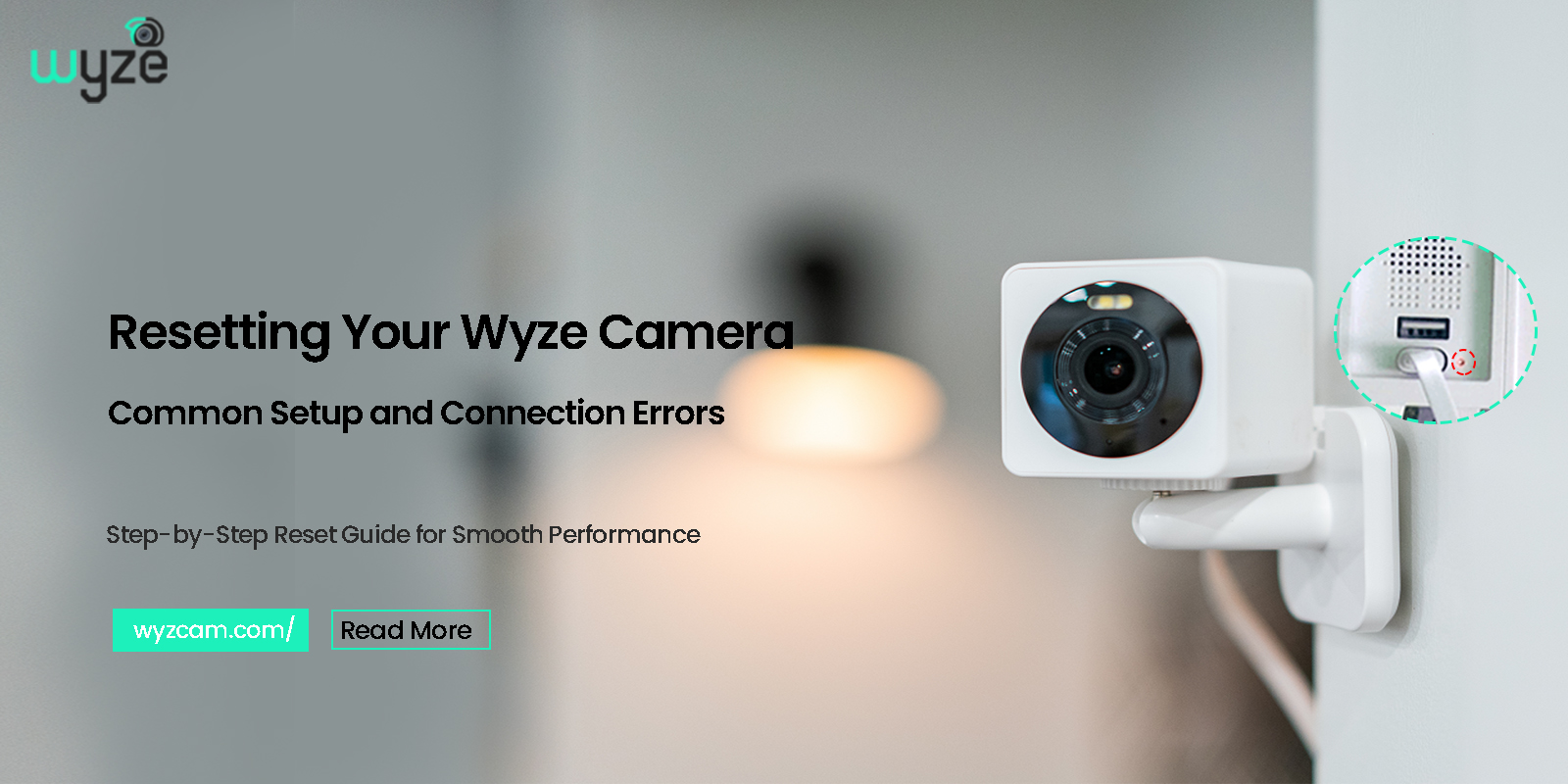
It is always best for smart cameras to remain connected and alert. But occasionally, problems can arise. Freezing of the video. Disconnecting cameras. Or repeated failures. It is at times like these when learning how to reset Wyze camera can prove the best solution.
Resetting might sound complex, but most of the time, it only needs a few minutes. This guide explains when you need to reset, how to do it correctly, and what to expect afterward.
Why You May Need to Reset a Wyze Camera
There are a number of common scenarios in which users attempt to reset their camera. For example, maybe the camera has stopped connecting to the Wi-Fi network. It may display offline in the app but still be connected to Wi-Fi. It may also fail to configure when switching to a new network.
Moreover, the users may reset their cameras due to forgotten login passwords or relocating their cameras to a new site. Owing to these factors, knowing how to reset wyze camera gives one control instead of frustration.
Types of Wyze Camera Reset
Before we begin, it would be helpful if one understood the fact that the Wyze cameras are only compatible with one type of reset. This type of reset will erase all the previously stored settings so that the camera can return to setup mode.
This process is also referred to by resetting Wyze camera.
After the reset, the camera is as good as new and will need to be set up again.
Things to Do Before Resetting Wyze Camera
Before you reset, take a moment to check a few things. This step saves time later.
Make sure:
- The camera has power
- The power cable works properly
- The Wyze app is installed and updated
- Wi-Fi network details are available
Also, remember that resetting the Wyze camera removes all saved settings. Therefore, you will need to add the camera again after the reset.
How to Reset Wyze Camera (Step-by-Step)
- First, keep the Wyze camera plugged into a power source.
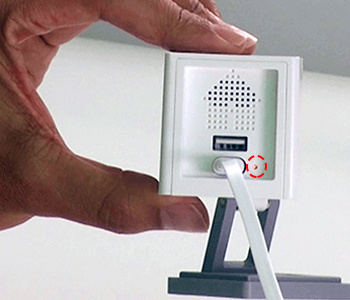
- Next, locate the Setup button on the camera. This button is usually located at the bottom or back.
- Then, press and hold the Setup button for 10 to 15 seconds.
- Release the button when you see the LED light change (e.g., solid red to flashing red).
- Allow 30 seconds to a few minutes for it to initialize.
- The camera will say “ready to connect” or show flashing lights.
After this process, the camera reset is complete. The camera now enters setup mode.
What Happens After Resetting Wyze Camera
Once you have completed wyze camera reset process, all previous configurations are erased. The camera loses its Wi-Fi connection and is unlinked from the account.
It is now necessary to include the camera. Post-resetting, follow the steps –
- Open the Wyze app.

- Tap the ‘+’ icon to add a new device.
- Select your camera model.
- Follow the in-app prompts, including scanning a QR code from your phone screen to the camera.
This completes the entire process of how to reset Wyze camera.
Common Mistakes to Avoid During Reset
Some users face problems because of small mistakes. Avoid these common issues.
- Do not release the Setup button too early
- Also, do not unplug the camera during reset
- Do not skip the re-setup step
- Do not rush the process
These mistakes often cause the camera reset to fail or repeat.
How to Factory Reset Wyze Camera for Wi-Fi Issues
Wi-Fi problems are the most common reason people search for how to factory reset Wyze camera.
If the camera fails to reconnect after a network change, a reset clears the old network data. After that, the setup starts fresh.
Resetting Wyze Camera When It Goes Offline
When the camera is offline for an extended period of time, a restart may not be sufficient. It is then necessary to reset the camera.
It is necessary that the camera reconnect, since it is unable to use the faulty settings. This method is quite effective and helps to resolve the issue.
How Often Should You Reset a Wyze Camera?
Resetting should not happen often. Use it only when other fixes fail.
However, a Wyze camera reset makes sense when:
- Setup fails repeatedly
- The camera moves to a new network
- The device stays offline
- Settings become unresponsive
Knowing how to reset Wyze camera helps, but frequent resets are not needed.
Troubleshooting If Reset Does Not Work
Sometimes, the reset seems incomplete. When that happens:
- Check the power source
- Hold the Setup button longer
- Try another cable or adapter
- Wait longer before setup
If the camera still fails, repeating the Wyze camera reset usually works.
Tips to Avoid Resetting in the Future
Although resets help, preventing issues is better.
To avoid frequent resetting Wyze camera:
- Keep firmware updated
- Use a strong Wi-Fi signal
- Avoid unplugging often
- Place the camera within router range
These habits reduce problems and improve reliability.
Why Resetting Wyze Camera Is Safe
Some users feared the implications of resetting. Nevertheless, the procedure has been made safe and easier by Wyze.
The reset only removes the local configurations. It will not harm any hardware component. It is for this reason that the answer to reset the Wyze camera is still considered a reliable solution.
Final Thoughts
Learning how to reset Wyze camera can provide you with an easy solution for the most common issues with the camera. Issues, including Wi-Fi, offline, or installation, can all be fixed with the help of a camera reset.
By following the right procedures for Wyze camera reset, only if necessary, you should be able to maintain everything working well within the system.
With a clean reset, the Wyze cameras can go back to their best feature, which is to keep you connected to the space.
FAQs
1. How do I reset my Wyze camera to factory settings?
Ans. Press and hold the Setup button on the Wyze camera for about 10 seconds until you hear a voice prompt or see a flashing light.
2. Will resetting a Wyze camera delete all settings?
Ans. Yes, resetting removes Wi-Fi details and account settings, and you must set up the camera again in the Wyze app.
3. Why should I reset my Wyze camera if it is offline?
Ans. Resetting clears broken network settings and allows the camera to reconnect properly to Wi-Fi.
4. How long does it take to reset a Wyze camera?
Ans. The reset process usually takes less than two minutes, including the restart time.